
Continuous integration and automated testing are essential to our internal operations, but two seemingly simple Jenkin’s features have evolved to be more important than we imagined – shell scripts and scheduled jobs. They were glossed over from the beginning, we were in this for the CI after all. Run bash scripts? Yeah, why not. Replace cron jobs? OK, but cron’s working fine.
The day we created ‘Check Version’, a Jenkins job that simply wraps git status for a given project in a given environment, we realized the possibilities. Once the Jenkins user is setup for SSH, it’s as easy to create these jobs as it is for non-technical people to use them. Now a couple of years down the road, we’ve automated everything from basic Git functions to sophisticated data migrations.
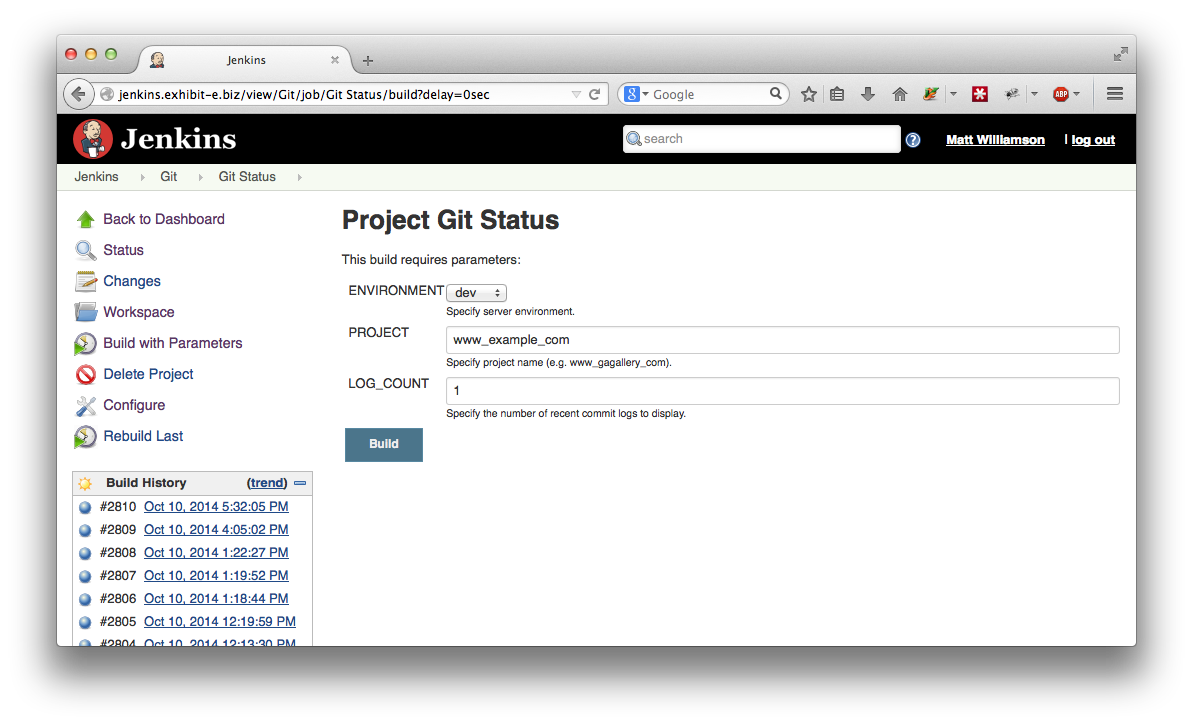
Exposing ‘git status’ as a Jenkins job.
As Jenkins grew to be our primary dashboard, we began replacing cron jobs with scheduled Jenkins jobs. Not only does it give our business people some insight into what’s going on, but centralized status history and email notifications are a big help as well.
One interesting note. We originally gave these jobs user-friendly names but later decided that was causing some confusion and ‘Check Version’ became ‘Git Status’. Despite the initial challenges, it’s worked. Everyone has come to a more accurate understanding of these concepts. Elevating the expertise of our entire team is yet another unexpected result, and probably the most important of all.
 Matt Williamson